Systems Administrator · San Francisco Bay Area

I run IT for organizations, then automate the work behind the tickets.

At a managed service provider I own identity, devices, and SaaS for client organizations, and I build the integrations, Power Platform apps, and scripts that replace manual work. B.S. in Software Engineering from San Jose State.

60+
Intune apps packaged from many vendors in under two weeks
600+
person organization where my Power Apps facilities app is in production
3,170
employee records synced to access groups per run
100+
Mac and Windows laptops secured with Okta Verify, Device Trust, and YubiKey sign-in

Selected work

Client names are left out on purpose.

Acquisition cutover

Intune · Acquired team moving tenants

60+ apps
from many vendors, packaged and tested in under two weeks
IntuneAutopilotPowerShellPIM

Problem

A team of 20 from an acquired company was moving into the parent company's Microsoft 365 tenant on a fixed cutover date, with a 94-entry software list of specialist tools, drivers, and utilities that all had to install silently through Intune.

What I built

  • A PowerShell toolkit that detects each installer's engine and builds Intune packages, with install, uninstall, and detection rules, from a single JSON manifest.
  • Silent installs for MSI, InstallShield, NSIS, Inno, WiX bundles, self-extractors, portable apps, and driver INFs, consolidating component rows (for example, 20 rows from one vendor into 6 apps).
  • Every app tested through Company Portal on an Autopilot test machine for silent install, launch, and silent uninstall, working under least-privilege PIM roles.

Result

All 94 entries were covered by Day 1, delivered as 60+ tested Intune apps. I also gave the client's security team the findings they needed, each with a proven fix: an attack surface reduction rule blocking plug-ins, a driver blocked by memory integrity with a supported replacement, and a signed driver that only installed after I imported the publisher certificate.

Swipe sideways to see the whole diagram →
JSON manifest94-entry listPackaging toolkitdetects installer engineIntuneapp + detection ruleAutopilot test PCinstall, launch, uninstallDay 1Fix and retestor report a findingappsuploadsdeployspassfailsrebuild
Every package went through the same loop: build from the manifest, deploy through Intune, prove install, launch, and uninstall on a test machine, and fix or escalate anything that failed.

Access that follows the job

Automation · HR system to Entra ID

3,170
employee records processed per full sync
PowerShellMicrosoft GraphREST APIsEntra ID

Problem

Purchasing roles had to be changed by hand whenever someone was hired, changed jobs, or left, so access depended on a ticket getting filed and worked.

What I built

  • A sync that pulls the employee roster from the HR system's REST API and assigns each person to Entra ID security groups by job title, status, and supervisor.
  • Those groups drive purchasing roles, so the right access lands automatically, and inactive or terminated staff are removed on the next run.
  • App-only Microsoft Graph auth through a dedicated Entra app registration, retry with backoff when Graph throttles, and an exception list for HR edge cases.
  • A logging system that records every add, move, and removal on each run, with size-based rotation, so any access change can be traced back to the run that made it.

Result

Joiners, movers, and leavers are handled by the sync instead of tickets, so purchasing access stays in step with the HR record.

Swipe sideways to see the whole diagram →
HR systemREST API rosterPowerShell synctitle, status, supervisorJoineradded to groupMoverswitched groupsLeaverremovedEntra ID groupsupdated via GraphPurchasing systemrole per grouppullssets role
One run sorts every employee into joiner, mover, or leaver by job title, status, and supervisor, then updates the Entra ID groups that drive purchasing roles.

Facilities management app

Power Apps · Nonprofit client

In production
for a 600+ person organization, without per-user premium licenses
Power AppsPower AutomateMicrosoft GraphPythonEntra ID

Problem

Facilities data lived in flat SharePoint lists. Staff needed one place for compliance dates, tickets, and emergency documents, where each person sees only their own facilities and role, without buying premium licenses for 600+ people.

What I built

  • A canvas app with five roles, resolved from Entra security groups through a flow that calls Microsoft Graph.
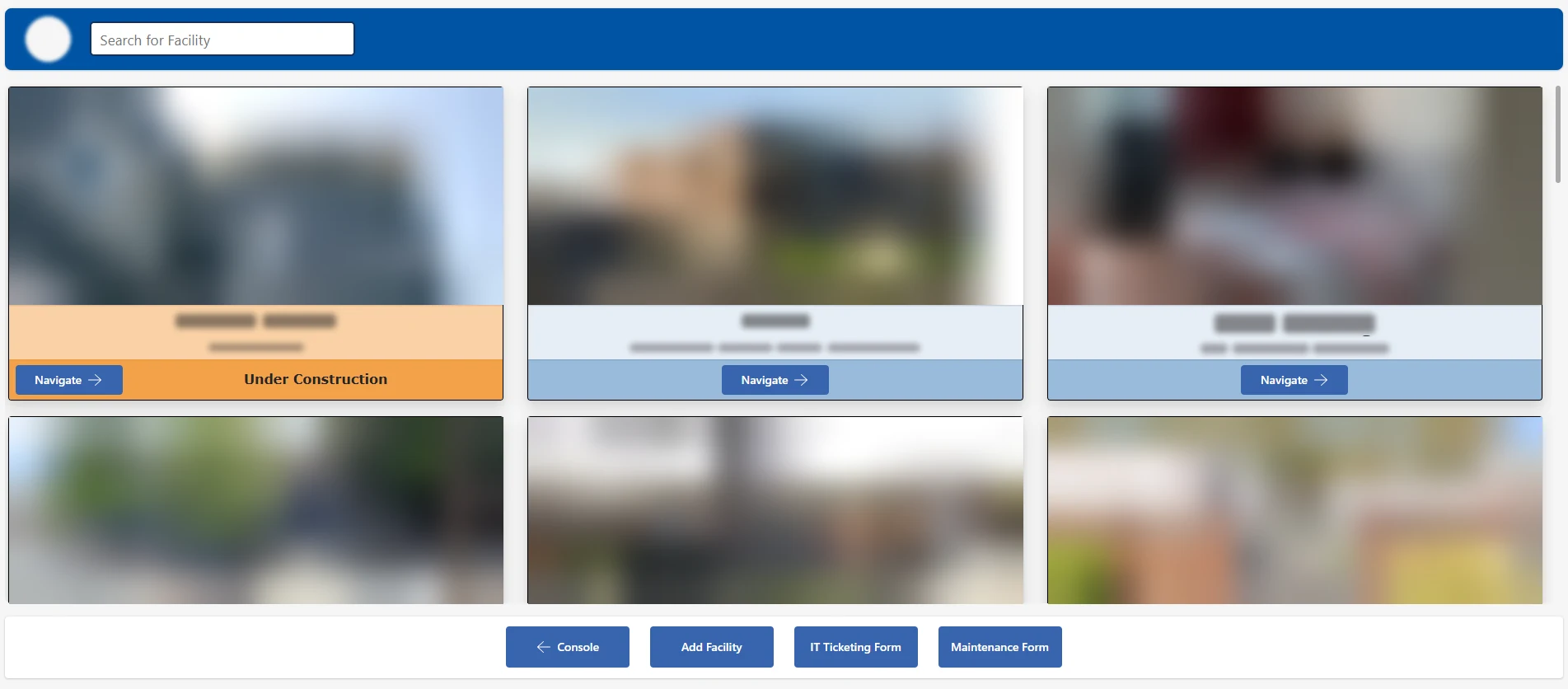
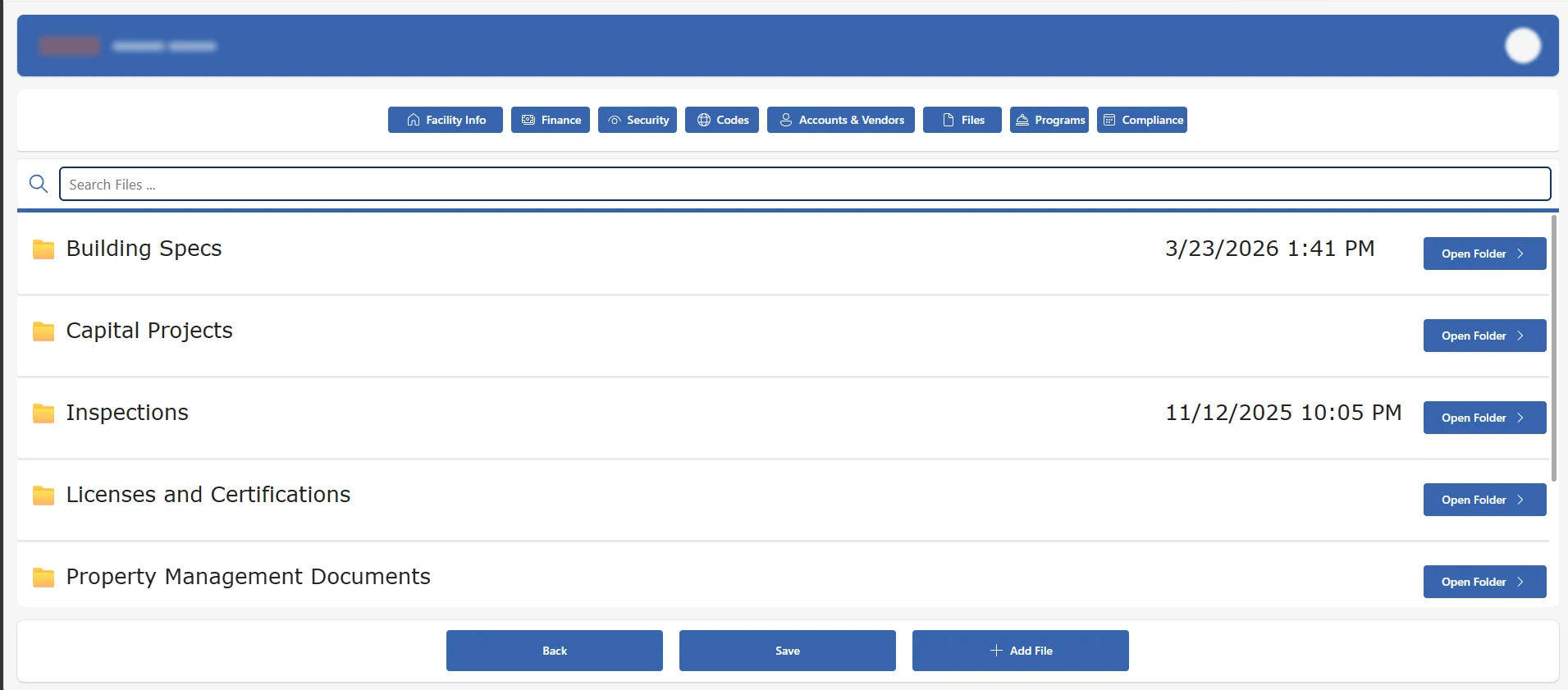
  • A searchable facility gallery with eight tabs per facility, from finance and vendors to files, programs, and compliance.
  • A broker pattern: flows run under a service account, so users never get direct access to the lists, and a mapping list scopes each person to their facilities.
  • A Python service that syncs the HR roster into SharePoint with app-only Graph auth scoped to one site. It upserts records, logs every run, and fails closed if the roster comes back empty.
  • A compliance tab tracking 15 expiration dates with 30, 60, and 90-day reminders.
  • Separate dev, demo, and prod environments with managed solutions and a custom security role.

Result

The Python sync replaced a per-user premium flow, so the organization avoids premium licensing for 600+ staff. After a live demo to the organization's VPs, the app went into production and is now in the final phase of a five-phase rollout to all staff.

Facility gallery with search, photo cards, and links to the console, IT ticketing form, and maintenance form Facility page with eight tabs, showing the Files tab with document folders
Real screens from the app. Facility names, addresses, photos, and client branding are blurred.

Swipe sideways to see the whole diagram →
Only service identities touch the dataStaffphone or browserCanvas approle-aware screensPower Automateruns as service accountSharePoint listsfacilities, complianceEntra ID groupsAdmin, Manager, ...Python syncapp-only, one siteHR system APIemployee rosteropensrequestscoped reads/writesrole checkvia Graphupserts rosterfails closed if emptypulls
Staff never get direct access to the lists. Every read and write goes through flows running as a service account, and the HR roster arrives through a separate Python sync with access to one site only.

Case management app

Power Apps · Apprenticeship program

150+
apprentices tracked by 11 career navigators
Power AppsSharePointEntra IDALM

Problem

A program with 11 career navigators needed one place to track 150+ apprentices: their status, meeting notes, and course progress, with a meeting summary that could be shared with the program's corporate partner.

What I built

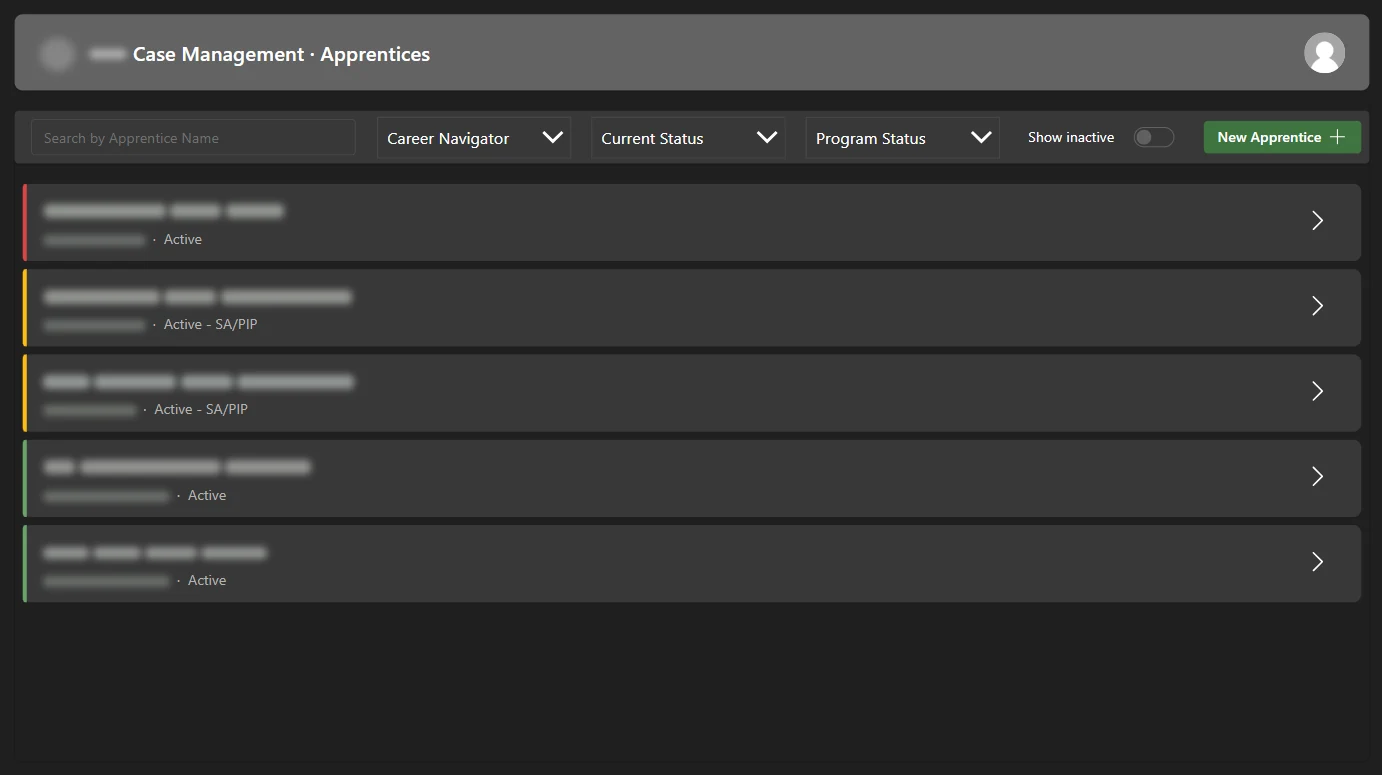
  • A six-screen canvas app over four SharePoint lists, starting from a roster that filters by navigator and status and flags each apprentice red, yellow, or green.
  • An apprentice page that brings together meeting notes and course enrollments, with dated progress updates for each course.
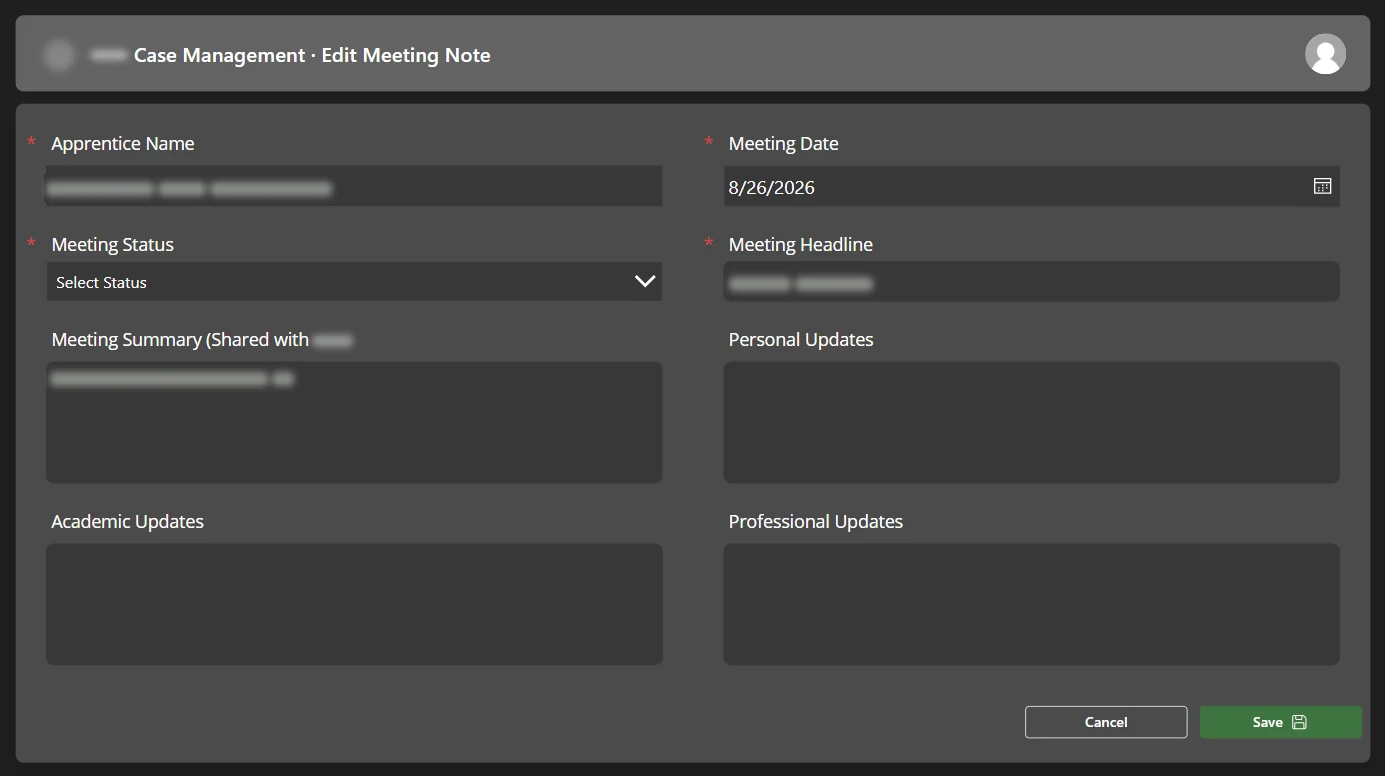
  • Structured meeting notes with separate personal, academic, and professional updates, plus a summary meant for the partner.
  • Dev and Prod environments with managed solution releases. I chose solution export and import over Pipelines, because Pipelines needs Managed Environments, which would have meant a standalone Power Apps license for every user.
  • Access through Entra security groups, verified on partner-issued laptops.

Result

The app went live in production in late September 2026 for the program's career navigators.

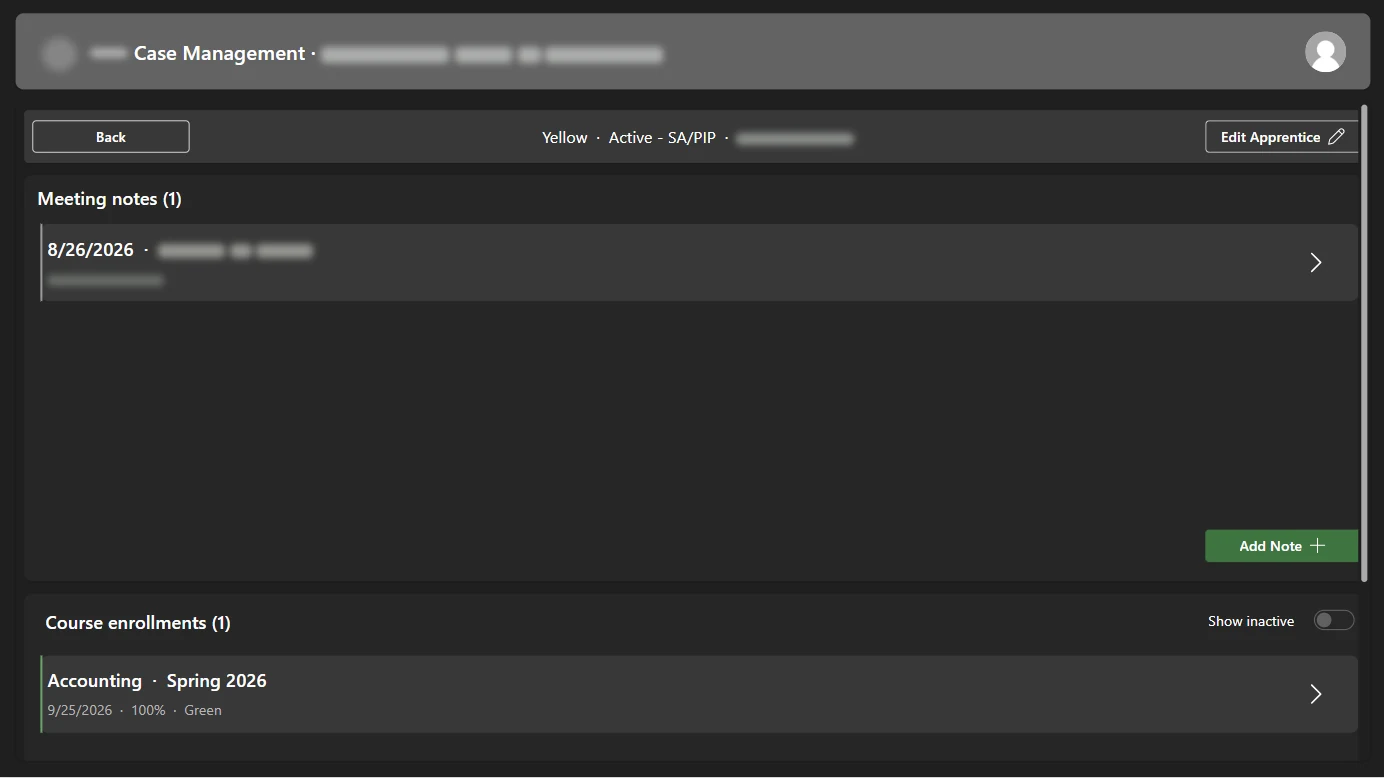
Apprentice roster with search, navigator and status filters, and red, yellow, and green status bars Apprentice page showing meeting notes and course enrollments Meeting note form with summary, personal, academic, and professional updates
Real screens from the app. Apprentice names, notes, and client branding are blurred.

More work

Phishing-resistant sign-in

Set up Okta Device Trust across Mac and Windows with Okta as the SCEP certificate authority, then enforced YubiKey FIDO2 keys through Okta sign-on policies, Entra Conditional Access, and Google Workspace.

OktaFIDO2Intune

SharePoint migration toolkit

Migrated about 63 classic areas and 19,600 items to modern hub sites with a config-driven PnP PowerShell toolkit, and restored a 954-item production library after an accidental move.

SharePointPnP PowerShell

Endpoint security rollout

Moved a client fleet from Trend Micro to SentinelOne, packaged Twingate and Cisco Secure Client for macOS and Windows, and fixed a fleet-wide false install failure.

SentinelOneTwingatemacOS

Conflicts portal

Built and maintain a conflict-checking app for a law firm on Dataverse, including a migration to new tables loaded through a dataflow.

Power AppsDataverse

Code projects

Personal and school work on GitHub.

AI Shorts pipeline

Python pipeline that writes a story with an LLM API, narrates it with word-timed captions, adds stock footage, and uploads the finished Short to YouTube every day on a GitHub Actions schedule.

PythonLLM APIsYouTube API
View code →

Plated

.NET MAUI app for Android and iOS that looks up license plates, with Firebase Auth, Firestore, and on-device OCR. In progress.

C#.NET MAUIFirebase
View code →

Starbucks ordering system

Spring Boot REST API with MySQL behind a Kong API gateway and HAProxy, deployed from Docker Compose to Google Kubernetes Engine.

JavaSpring BootKubernetes
View code →

Skills

Identity and SaaS
Okta, Entra ID, Google Workspace, Microsoft 365, Slack, Jira, Confluence, Zoom
Devices and security
Intune, Autopilot, macOS, Windows, iOS, SentinelOne, Defender, Twingate, Cisco Meraki
Automation
Python, PowerShell, Microsoft Graph, REST APIs, Power Automate, Power Apps, Zapier, Claude Code
Software
C#, Java, JavaScript, SQL, React, Spring Boot, Docker, Kubernetes, Git, GitHub Actions

Experience

  • System Administrator, PC ProfessionalOakland · 2024 to present
  • Software Engineer Intern, TrvlstSan Francisco · 2023 to 2024
  • IT Specialist, All Care Family DentalPittsburg, CA · 2023
  • B.S. Software Engineering, San Jose State UniversityFundamentals of Cybersecurity Certificate · Senior project: real-time object detection on a Raspberry Pi with Python and OpenCV